Unity Audio Callback System

An open-source, thread-safe callback workflow for synchronizing Unity events with precise moments in audio.

2026 Audio Tool Open Source

Tech Stack

  • Unity
  • C#
  • Unity Editor
  • Timeline
  • AI Used: UI
  • Git

My Role

  • Tool Designer
  • Audio Programmer
  • Editor Tool Developer

Team

  • Solo Project
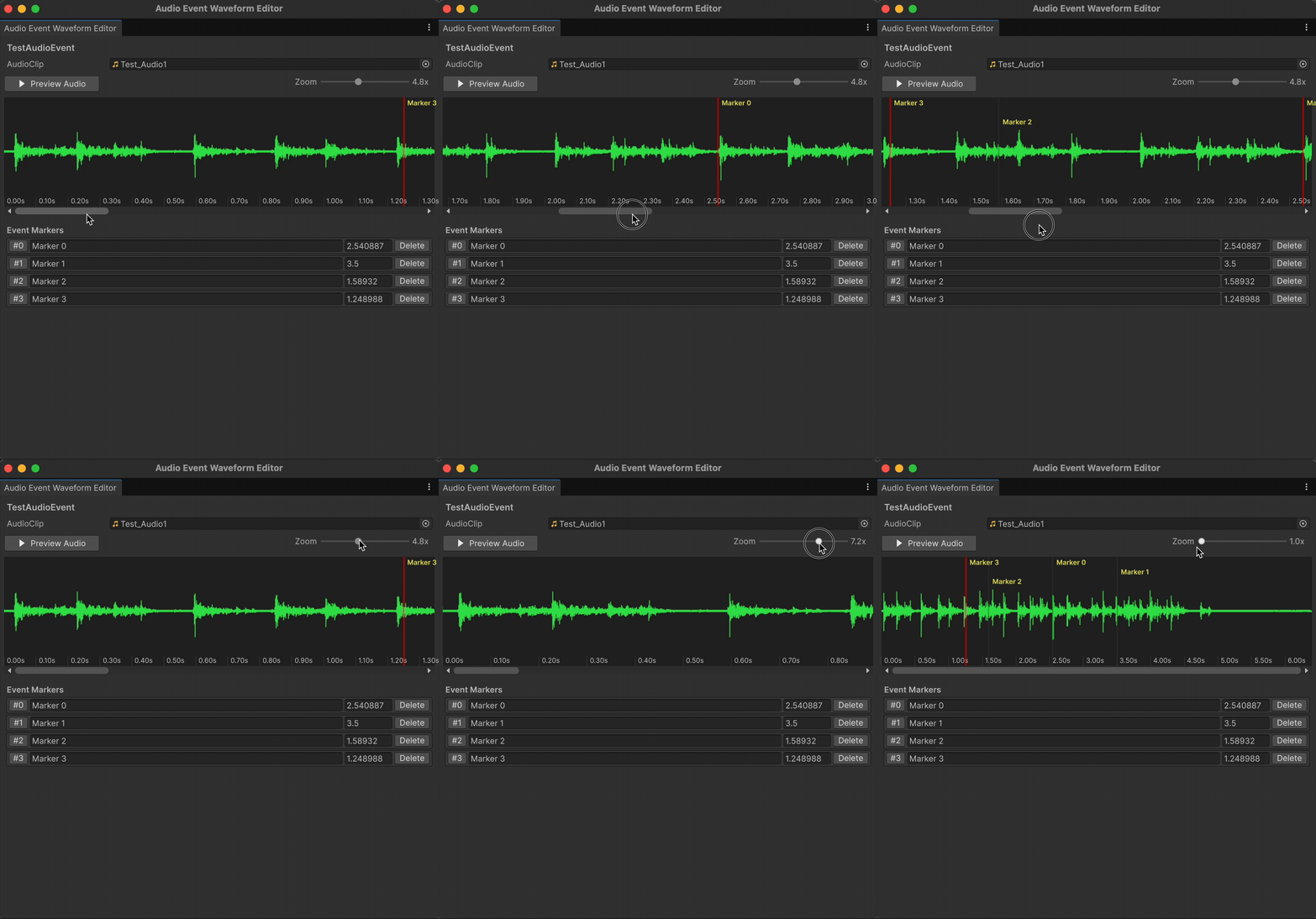
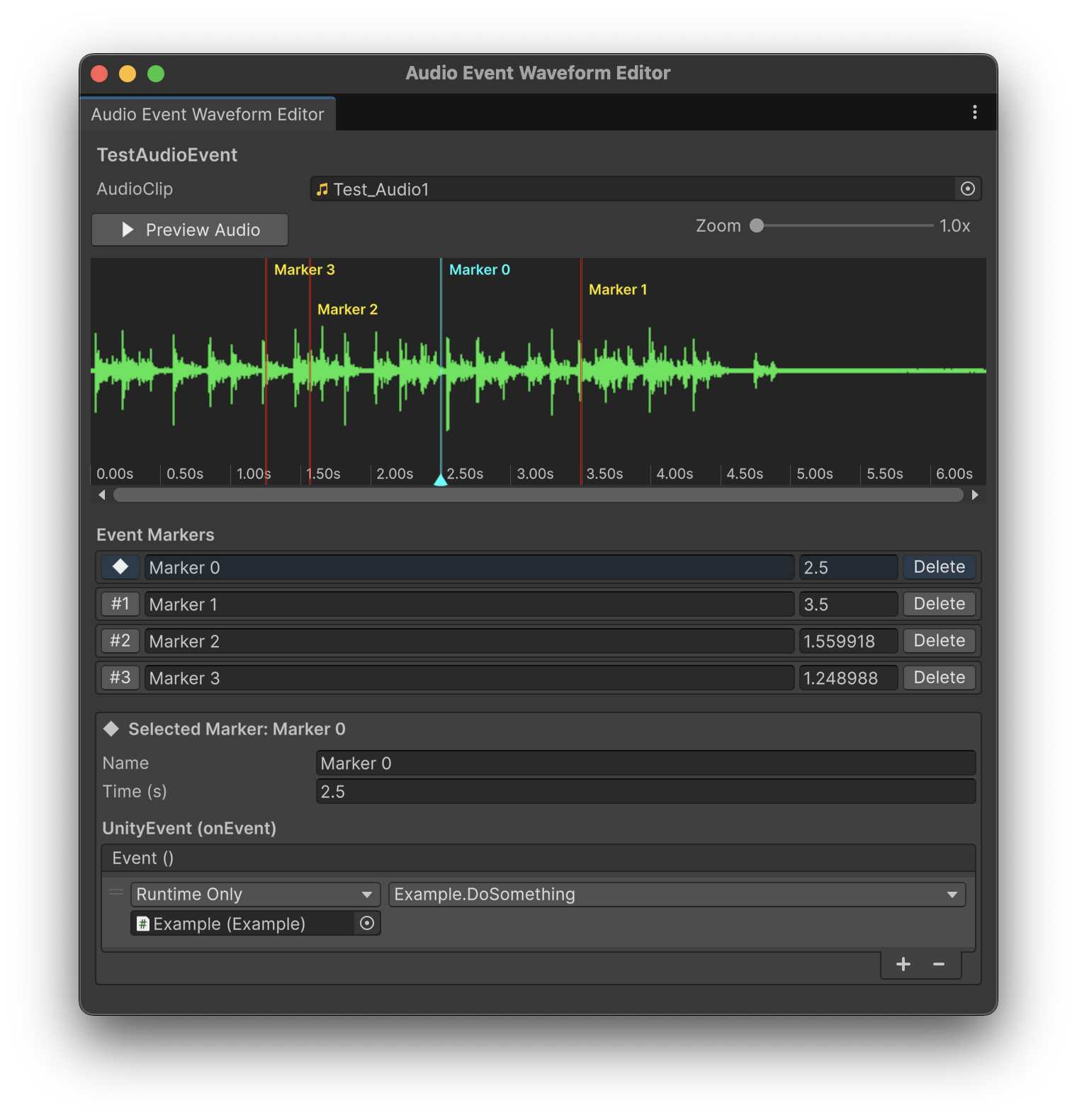
Unity Audio Event Waveform Editor with an audio waveform and timed event markers
Audio Event Waveform Editor

Overview

Unity's built-in audio system can play clips reliably, but synchronizing gameplay, animation, or visual effects to exact moments in those clips often requires one-off timing code. I built this system to bring a marker-and-callback workflow—similar to the event callbacks found in FMOD and Wwise—directly into a standard Unity project.

Designers package a clip, playback settings, and named markers inside an AudioEventAsset. An AudioEventPlayer then plays the clip and invokes each marker's UnityEvent at the correct moment. The same marker can also be found by name from code, making the workflow useful both in the Inspector and through runtime subscriptions.

The result is a lightweight, open-source layer that keeps audio timing reusable, visible, and close to the people authoring the experience.

Reusable Audio Event Assets

The ScriptableObject-based AudioEventAsset is the system's source of truth. Alongside the AudioClip, it stores volume, pitch, looping, spatial blend, mixer routing, and whether callbacks should retrigger on each loop.

Each marker combines a readable name, a timestamp, and a UnityEvent. This separates the timing data from any one scene object, so the same authored audio event can be assigned to different players and wired to different gameplay responses.
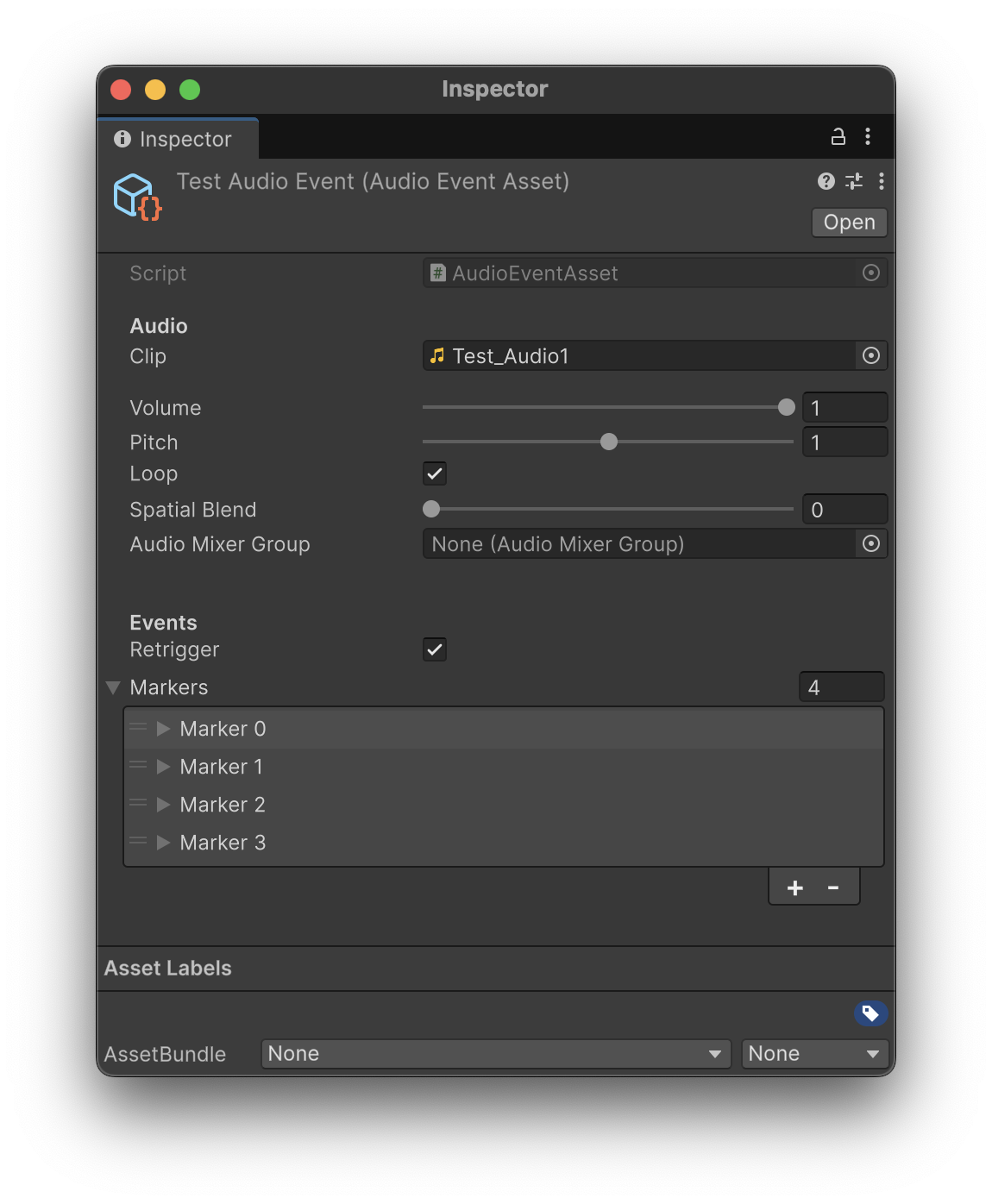
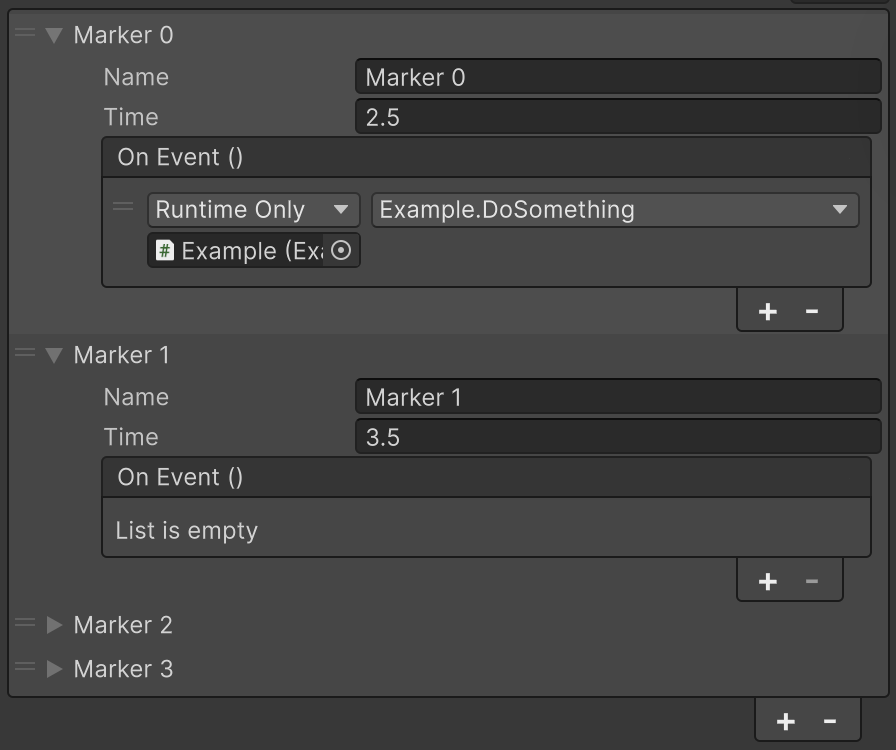
AudioEventAsset Inspector with playback parameters and event markers
AudioEventAsset Inspector
Marker Inspector showing a named timestamp and UnityEvent callback
A marker's timing and callback data
Playback cursor moving across a waveform with audio event markers
Previewing marker timing against the waveform

Thread-Safe by Design

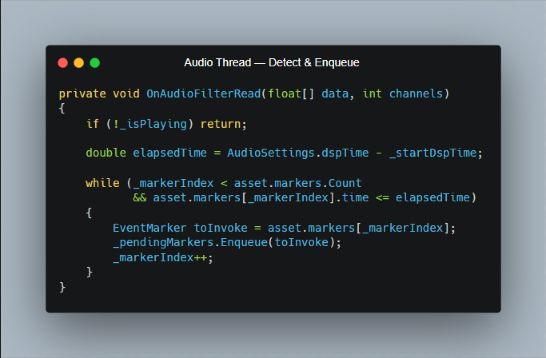
The player schedules playback against AudioSettings.dspTime and checks elapsed DSP time inside OnAudioFilterRead. Because this callback runs on Unity's audio thread, it never invokes a UnityEvent or touches gameplay objects directly. Reached markers are written to a ConcurrentQueue<EventMarker> through the non-blocking Enqueue operation.

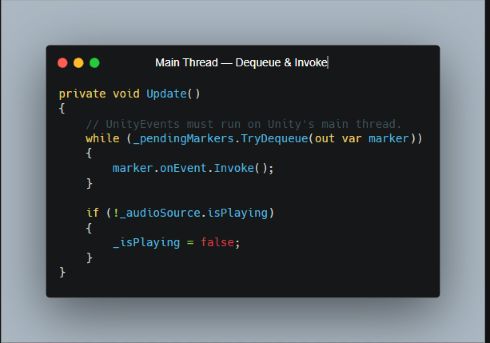
On the main thread, Update repeatedly calls TryDequeue and only then invokes each marker's UnityEvent. The queue forms a clear thread boundary: the audio thread owns precise timing detection, while the main thread owns every Unity-facing side effect. No shared list is iterated by both threads, and no lock is held inside the real-time audio callback.

Looping clips can optionally reset the marker index and retrigger their events on every pass, while one-shot playback naturally stops processing once the clip ends.

One Queue, Two Thread Responsibilities

C sharp source code showing markers enqueued from OnAudioFilterRead
Audio thread: detect marker timing and enqueue only
C sharp source code showing markers dequeued and invoked during Update
Main thread: dequeue and safely invoke UnityEvents

Visual Waveform Authoring

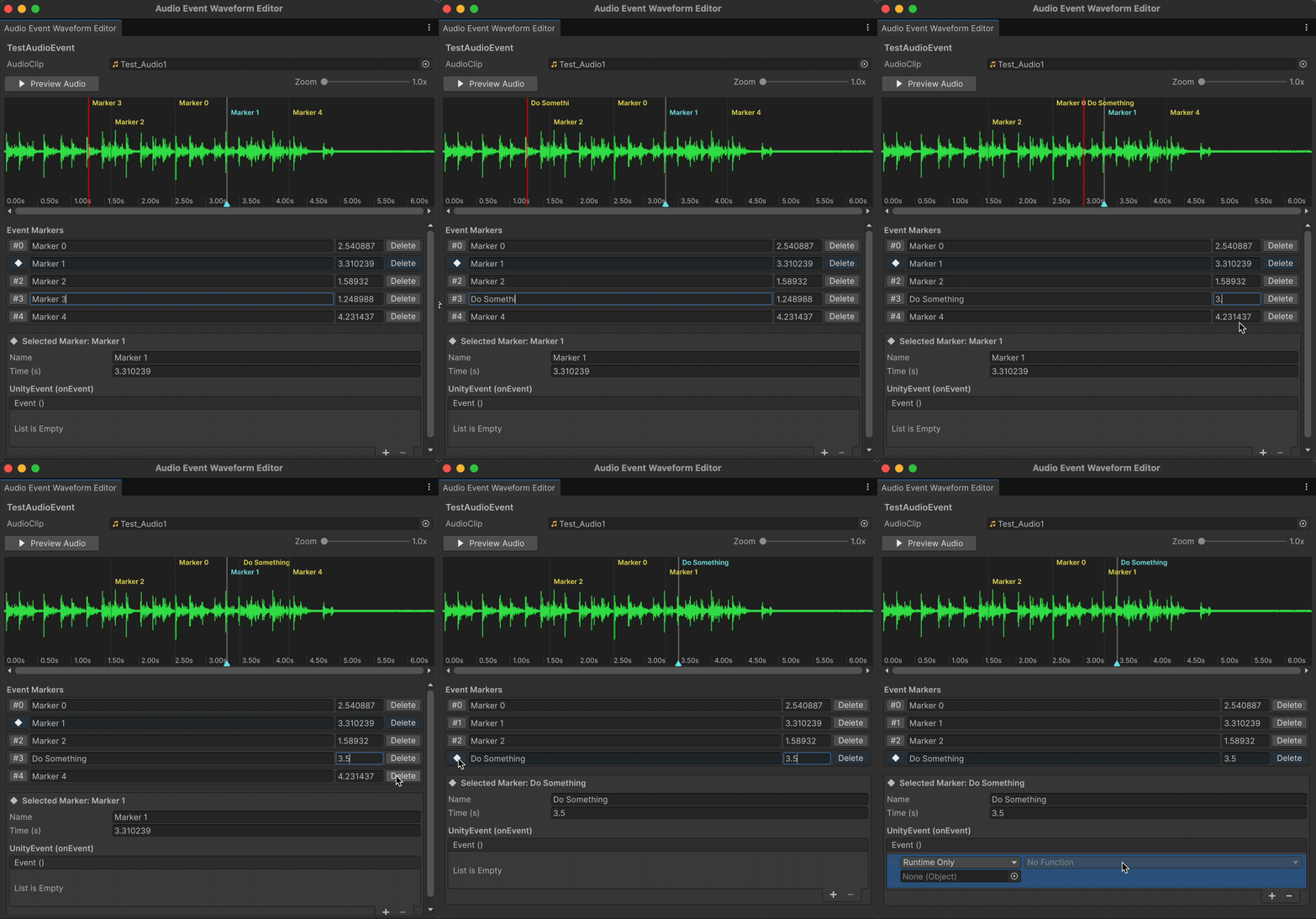
I created a custom Unity Editor window so timing can be authored by listening and looking, instead of repeatedly entering seconds by hand. It renders the selected clip's waveform, previews audio with a moving cursor, and provides zoom and horizontal navigation for precise placement.

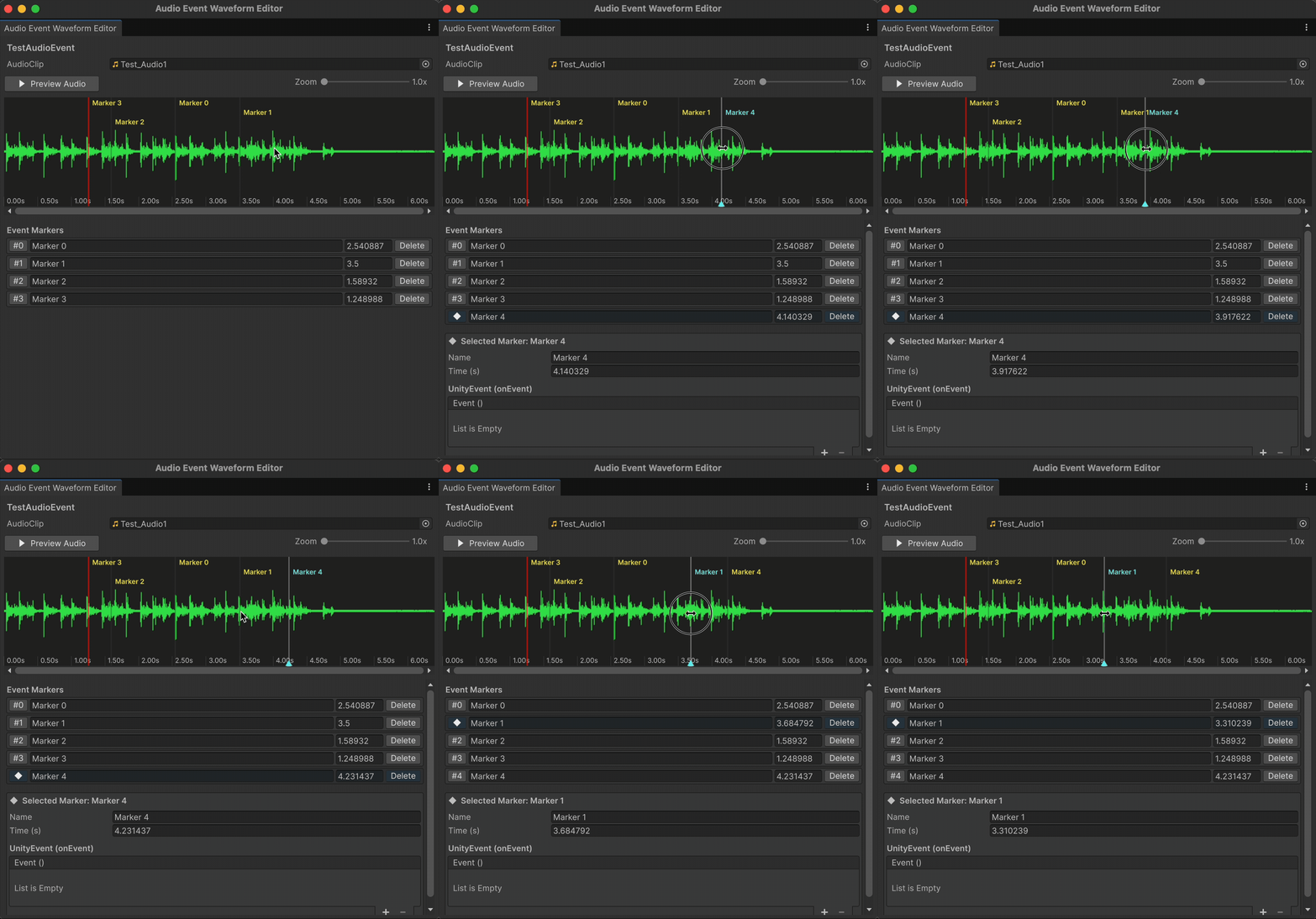
Markers can be added directly on the waveform, dragged to a new moment, selected from the list, renamed, deleted, or fine-tuned numerically. The selected marker's UnityEvent is exposed in the same window, keeping timing and behavior together throughout iteration.

Adding and dragging event markers on the waveform
Add and drag markers directly on the waveform
Selecting and editing marker details and UnityEvents
Edit timing and UnityEvents in one workspace

Timeline Support

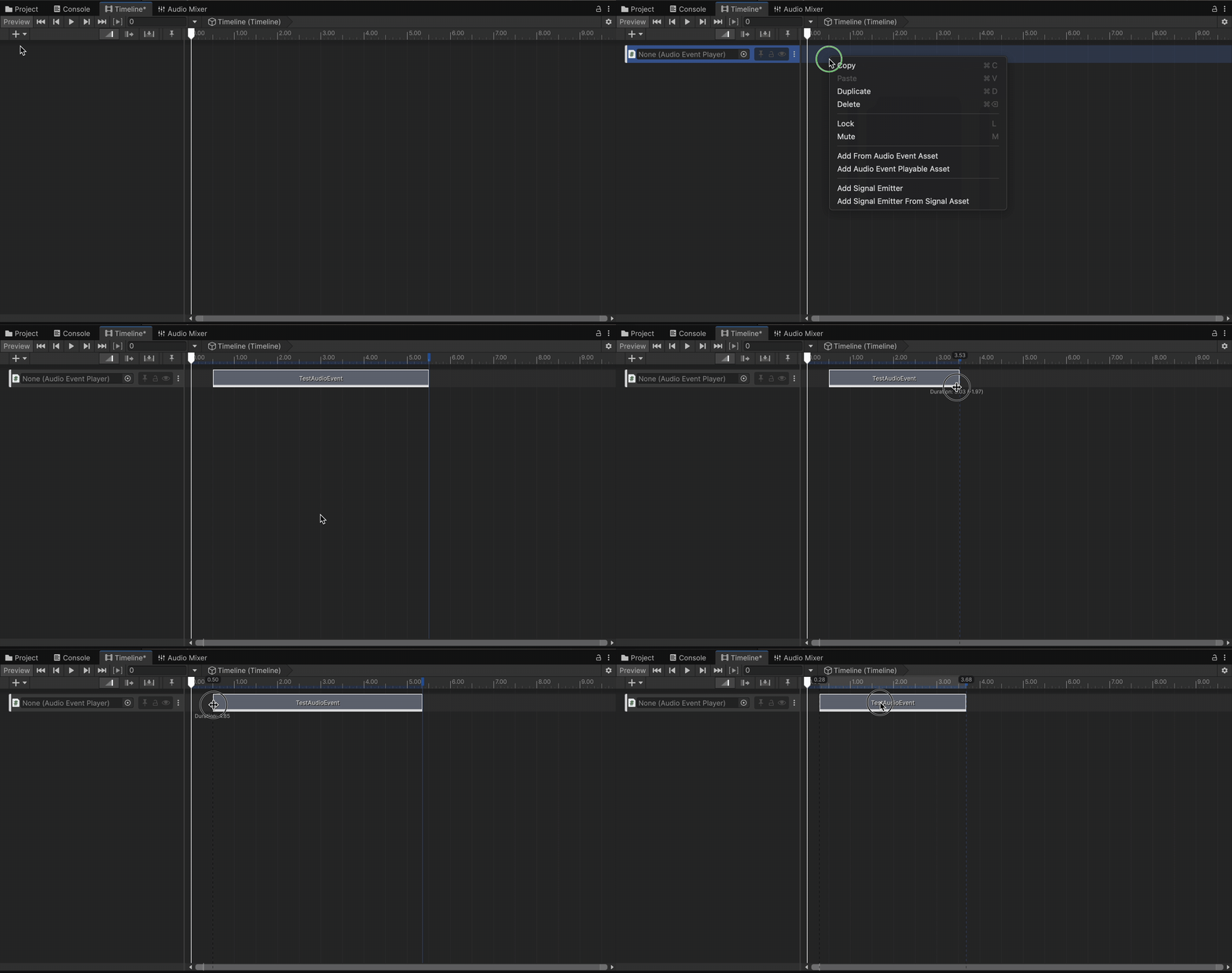
A custom AudioEventTrack, PlayableAsset, and PlayableBehaviour extend the same event system into Unity Timeline. An AudioEventPlayer can be bound to the track, allowing playback and callbacks to follow the Timeline graph alongside animation, particles, cameras, and other authored sequences.

This keeps cinematic and gameplay workflows on the same reusable AudioEventAsset model instead of requiring a second timing implementation.

Adding an Audio Event Track and clip in Unity Timeline
AudioEventAsset workflow inside Unity Timeline